Photos · drawings · AI art
Image to Pixel Art
Turn any picture into real pixel art with a clean grid, a limited palette and crisp outlines. Not a blurry pixelate filter.
Free to try with a PixelLab account
See it in action
Pick an example, then drag the handle to compare.
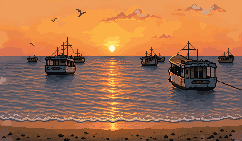
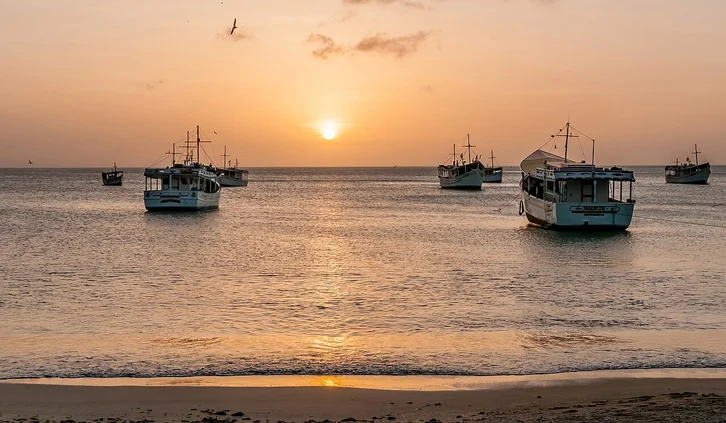
Before
After
What makes it real pixel art?
Most image to pixel art converters shrink your picture and snap it to big blocks, so you get muddy colours, noisy edges and a grid that doesn't line up. PixelLab redraws the picture as pixel art at the size you pick: every pixel sits on the grid, colours come from a small palette, and outlines stay clean. The result looks like it was drawn for a game, because that's what it's made for.
How to convert an image to pixel art
Three steps, in your browser.
1
Upload a picture
A photo, a drawing, a 3D render or AI-generated art: PNG, JPG or GIF, up to 10 MB.
2
Pick the size and palette
Choose how many pixels wide the result should be, and optionally your own colour palette or a transparent background.
3
Download your pixel art
Save it as a PNG, or keep working on it in the PixelLab editor and use it in your game.
Built for games and pixel artists
Everything a pixelate filter can't do.
A real pixel grid
Every pixel is a deliberate square of one colour, so the result scales up crisply and works as a game sprite.
Your palette
Keep the colours it picks, or convert straight into your game's palette so everything matches.
Any size
From tiny icons to full scenes: choose the output size instead of a fixed block filter.
Fixes AI "pixel art"
AI image tools draw pixel-art-looking pictures with soft edges and no grid. Convert them into clean pixel art you can use.
Transparent background
Remove the background in the same step to get a sprite ready for your game.
API and MCP
Convert images from your own tools through the PixelLab API, or let your AI assistant do it over MCP.
Frequently asked questions
Convert your first image
Upload a picture, pick a size and download real pixel art in under a minute.
Open image to pixel artAlso see: Pixel art VFX generator