In chat · over MCP · with the API
Pixel Art VFX Generator
Create pixel art fire, explosions, spells and slashes, timed to your own character. Export a GIF or a sprite sheet.
Free to try with a PixelLab account
Made with the PixelLab VFX creator
Effects timed to animated characters: drop in your sprite, describe what should happen and when.
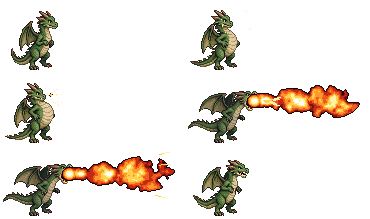
Dragon fire breath
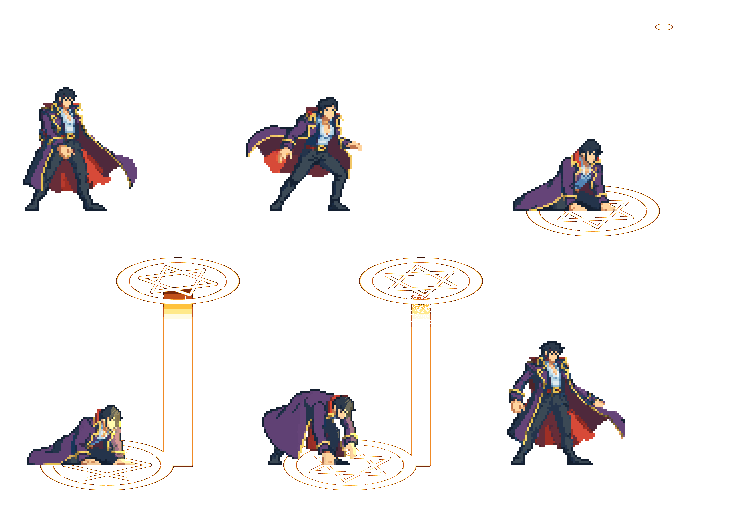
Sky laser summon
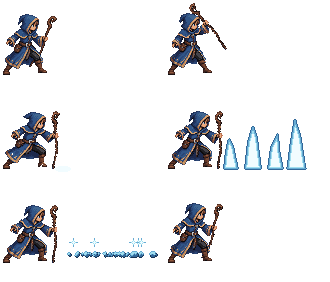
Ice spikes
What is a pixel art VFX generator?
A pixel art VFX generator makes the animated effects a 2D game needs, like fire, explosions, hit sparks, spells and smoke, without drawing every frame by hand. In PixelLab you describe the effect, an AI artist builds it in real pixel art with your colours and outline, and you export it as a GIF or a sprite sheet your engine can play.
Three ways to make VFX
The same effects, wherever you work.
Chat in the browser
Open the VFX creator, drop in your animated sprite and describe what should happen and when. Refine it in chat and with live sliders.
Vibe code it over MCP
Connect PixelLab to Claude Code, Cursor or any MCP client. Your AI builds and edits effects with the VFX workbench while it codes your game, and saves them to your library. Free for subscribers.
Call the API
Send a description to the VFX endpoint and our artist makes the effect, returning a GIF and a sprite sheet. Good for tools and pipelines.
How to make pixel art VFX
No particle editor, no frame-by-frame drawing.
1
Describe it
Drop in your character if you have one and say what should happen: "the dragon rears back, then breathes a long stream of fire".
2
Refine it
Ask for changes in chat ("bigger, more sparks, darker smoke") and fine-tune size, speed, colours and timing with live sliders.
3
Export it
Download a GIF or an animated PNG, or turn it into a sprite sheet when your engine needs one. A game pack ZIP splits it into pieces.
Watch the VFX tutorial
A fireball, an electric kunai, a bubbling cauldron and a mage summoning a lightning wolf, step by step.
Built for game developers
Effects that look hand-made and fit your game, exported in the formats you already use.
Real pixel art
Crisp pixels, colour ramps and clean outlines. Effects are drawn pixel by pixel, never a blurry image scaled down.
Describe it in words
A VFX artist in chat builds and changes the effect for you, so you don't need to know particle systems.
Live sliders
Every effect comes with controls. Drag to change it instantly, free, without generating again.
Every direction
Make a projectile or slash once and export it facing 4, 8 or 16 directions, for top-down or side-view games.
Effects on your characters
Add an aura, glow, light or recolour to your own animated sprite, so hits, buffs and spells match your character.
Ready for any engine
Sprite sheets, GIF and animated PNG export work in Unity, Godot, GameMaker, Phaser, Aseprite and anything that reads PNG.
Frequently asked questions
Make your first effect
Describe an effect, refine it and export it as a GIF or a sprite sheet.
Open the VFX creatorAlso see: AI game builder